


Bank deposit products and services provided by PNC Bank, National Association. Member FDIC.
Find Your Full Account and Routing Numbers
Here are a few ways you can access your account and routing numbers.
How To Find Your PNC Routing &
Account Numbers
Routing numbers are nine digit numbers that can also be referred to as banking routing numbers, routing transit numbers, RTNs, and ABA numbers. This code identifies your financial institution and can differ depending on where you opened your account and the type of transaction you make.
In the PNC Mobile app:
For all Deposit Accounts (Checking and Savings)
- Select your account, then select Account and Routing Numbers.
In Online Banking:
For Deposit Accounts (Checking and Savings)
- Select your checking or savings account.
- At the top, below the account name, select View Account/Routing Number.
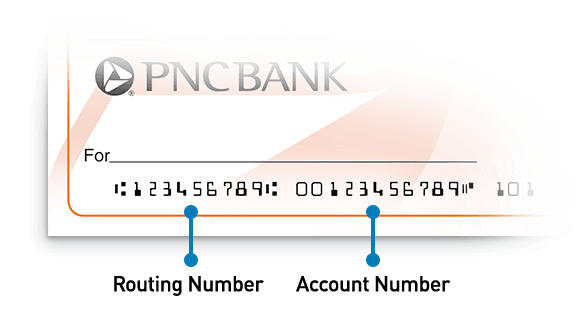
On Your Paper Checks:
Your routing number and account number can be found at the bottom of your checks. The routing number is first and has nine digits. The account number comes second and has eleven digits.
Incoming Wire Transfers
Incoming wire transfers have a different routing number than the one displayed on your account. To set up an incoming wire transfer, you'll need to provide your account number and the following PNC Bank Routing Number: 043000096.