









As a PNC cardholder, there is no fee for ATM usage at PNC or Partner ATMs. Partner ATMs may be limited to cash withdrawal functionality. Visit pnc.com/locator to find a PNC or Partner ATM near you.
Convenient ATM Banking
Access your funds at approximately 60,000 ATMs nationwide
Convenient ATM Banking
Access your funds at approximately 60,000 ATMs nationwide
Find Fee-Free ATMs
Convenience is banking when and where you want with over 60,000 fee-free ATMs coast-to-coast, giving PNC customers easy access to their money anytime they want it.

As a PNC cardholder, you can access your money at approximately 60,000 fee-free[1] PNC and Partner ATMs - including those inside our convenience store partners - Wawa®, Sheetz®, QuickChek®, and Turkey Hill®.
Other Partner ATMs include MoneyPass® and Allpoint® - where you can find ATMs in popular retail stores such as CVS®, Target, 7-Eleven®, Walgreens®, UDF® and more.
With 60,000 options, you can find an ATM close to home or wherever your adventures take you - now, that's convenience.
Choose Your Preferences
Establish or change your preferred language, fast cash amount and receipt preferences.
PNC Card Free ATM Access
Generate a one-time access code in the PNC Mobile app to make ATM transactions without using your debit card.
Step 1: Get your access code
- Sign into the PNC Mobile app[3] and select ATM Access.
- Tap the Generate Access Code button to request a on-time access code.
- An 8-digital access code will be presented along with instructions on how to proceed.
Important: The access code will be available for 30 minutes and can be used for a single transaction.
Step 2: Visit a PNC ATM with Card-Free Access
- Select Card Free Access on the welcome screen.
- Enter the 8-digit access code that was provided in the PNC Mobile app and tap Continue.
- Enter your 4-digit card PIN associated with the card you selected in the PNC Mobile app.
- Complete your ATM transaction.
This feature is not available at Partner ATMs. It is available at some PNC ATMs.
PNC Card Free ATM Access
Generate a one-time access code in the PNC Mobile app to make ATM transactions without using your debit card.
Step 1: Get your access code
Step 2: Visit a PNC ATM with Card-Free Access
- Select Card Free Access on the welcome screen.
- Complete your ATM transaction.
Get to Know PNC ATMs
At a PNC ATM the first screen you'll see gives you the options to:
-Insert or tap your card
-Tap your mobile device using PNC debit cards that are added to a mobile wallet
-Card Free Access by requesting a one-time code from your Mobile Banking app
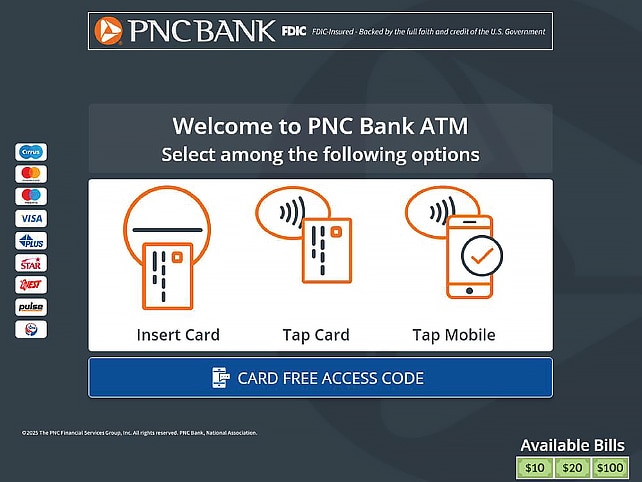
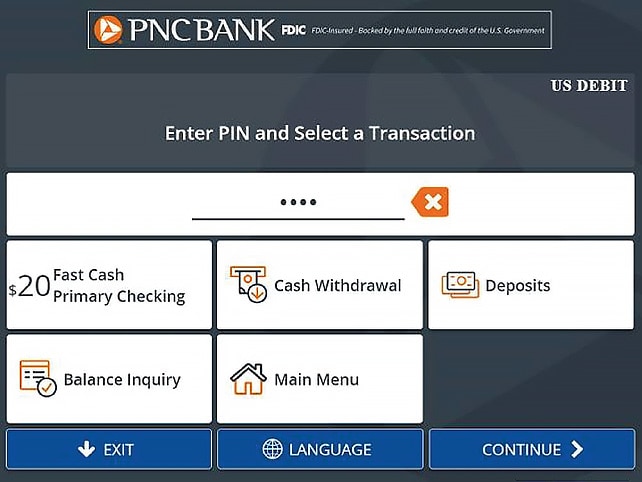
You’ll be asked to enter your PIN to complete a transaction. From this screen, you can choose one of the quick options, including your language preference or go to the Main Menu.
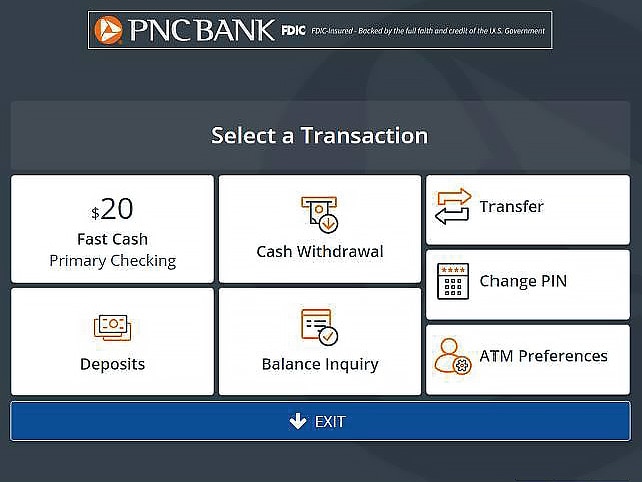
Choose one of the available features–withdraw your fast cash amount, make a deposit, withdraw cash, get your balance, make a transfer, change your PIN, or set your ATM preferences.
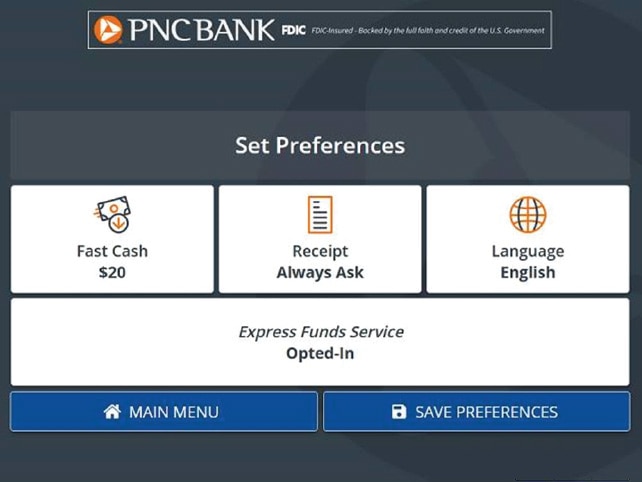
Set your preferences by choosing a fast cash amount, setting receipt preferences, choose a language or the Express Funds Service.
Ways to Use Your Card at an ATM

Card Tap-n-Go (Available at Select PNC ATMs)
New card technology enables fast, convenient and secure ATM transactions without having to insert or swipe your card.
- Simply place the card on the EMVCo Contactless Symbol
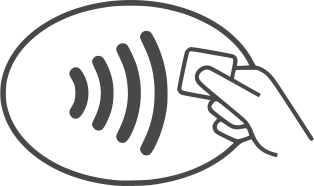 on the ATM to initiate the transaction.
 - Enter your PIN when prompted and continue with your transaction.
This feature is not available at Partner ATMs.
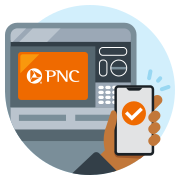
PNC Card Free ATM Access
Generate a one-time access code in the PNC Mobile app to make ATM transactions without using your debit card.
Step 1: Get your access code
- Sign in to the PNC Mobile app and select More from the bottom menu bar.
- Select Card Free ATM Access then Generate Access Code.
- If you have more than one available PNC card to use at ATMs, you’ll be asked which card you want the access code to act in place of.
- Once you accept the terms and conditions (if it’s your first time using this feature), you’ll receive your 8-digit access code.
Important: The access code will be available for 30 minutes and can be used for one transaction.
Step 2: Visit a PNC ATM with Card-Free Access
- Select Card Free Access on the welcome screen.
- Enter your 4-digit card PIN associated with the card you selected in the mobile app.
- Complete your ATM transaction.
This feature is available at all PNC ATMs. It is not available at Partner ATMs.

Tap and Go-Using Mobile Tap
Tap and Go Using Mobile Tap. This feature currently works with PNC debit cards that are added to a mobile wallet using the PNC Mobile app. The types of transactions available with Mobile Tap at PNC ATMs are:
- Withdrawals
- Transfers
- Balance Inquiries
This feature is available on all PNC ATMs. It is not available at Partner ATMs.
Frequently Asked Questions
Yes. The new Mobile Tap feature is now available and works with PNC debit cards that are added to a mobile wallet. The types of transactions available with Mobile Tap at this time are: Withdrawals, Transfers, and balance inquiries.
If you know your current PIN, you can change it in the Preferences screen at the ATM. If you don't know your PIN, you'll need to call the number on your card and follow the prompts or speak with a banker.
Yes! You can easily opt-in from the Preferences screen at the ATM.
Partner ATMs aren't owned by PNC, but are fee-free for PNC cardholders. They may feature branding for Allpoint or other financial institutions. Additionally, Partner ATMs may be limited to only cash withdrawal functionality.
Search by Partner ATM at pnc.com/locator to find Allpoint and other Partner ATMs.
Insights
Can You Deposit a Check at an ATM?
Most modern ATMs are equipped with advanced technology that allows customers to deposit checks directly into their bank accounts. Learn more in this guide.
How to Deposit a Check
In the past, you usually had to visit a bank branch to deposit a check. Today, there are several convenient options. Learn more in this guide from PNC.
Common Bank Fees and How to Avoid Them
Read about the most common bank fees, why they exist, and what steps you can take to avoid paying them in the future.
