


Online Banking is free to customers with an eligible account; however there may be a fee for certain optional services. We reserve the right to decline or revoke access to Online Banking or any of its services. All online banking services are subject to and conditional upon adherence to the terms and conditions of the Digital Services Agreement.
PNC Wire Transfers
Explore domestic and international options
Features & Benefits
PNC Wire Transfer Options
Here's what you'll need to send money domestically and internationally.

Interested in sending a Remittance?
PNC account holders can send money to family and friends in ten countries across Latin America through 100+ providers and 25,000+ locations, including BBVA, Bancolombia, Elektra, Banural, and more.
How To Send and Receive a Wire Transfer With PNC
- Sending a Wire Transfer
- Receiving a Wire Transfer
You can request a domestic or international wire from any personal PNC checking or savings account. Only send money to people and businesses you know and trust.
In Online Banking:
If you have additional questions, select Help on the right hand side of your PNC Online Banking Accounts tab.
In the PNC Mobile app:
- Sign in to the PNC Mobile app.
- Select Pay & Transfer.
- Choose either Domestic Wire or International Transfer.

You can also visit a branch to make a wire transfer or International Money Transfer.
To receive a domestic or international wire transfer, you'll need to provide your bank information to the sender. The sender may also need your address, phone number or email address. Only provide your account and personal information to people you know and trust.
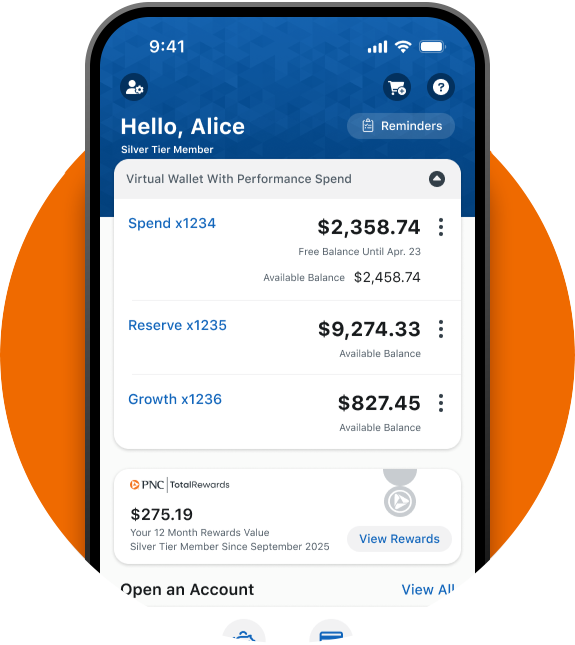
Download the PNC Mobile App
Bank anytime, anywhere.
Open a new account, deposit a check, check balances, make bill payments and more – all from our mobile app on your smartphone or tablet. Available in English and Spanish.


Open a Virtual Wallet® To Start Sending and Receiving Wire Transfers
PNC's Virtual Wallet offers checking and savings together to help you manage your financial life. Apply for a Virtual Wallet and choose your favorite card in the application.